 Add-ons

Markdown Here Revival 4.0.19
by leup, Rob Lemley
Markdown Here Revival is a Thunderbird extension that lets you write emails in Markdown and render them as HTML before sending.
About this Add-on
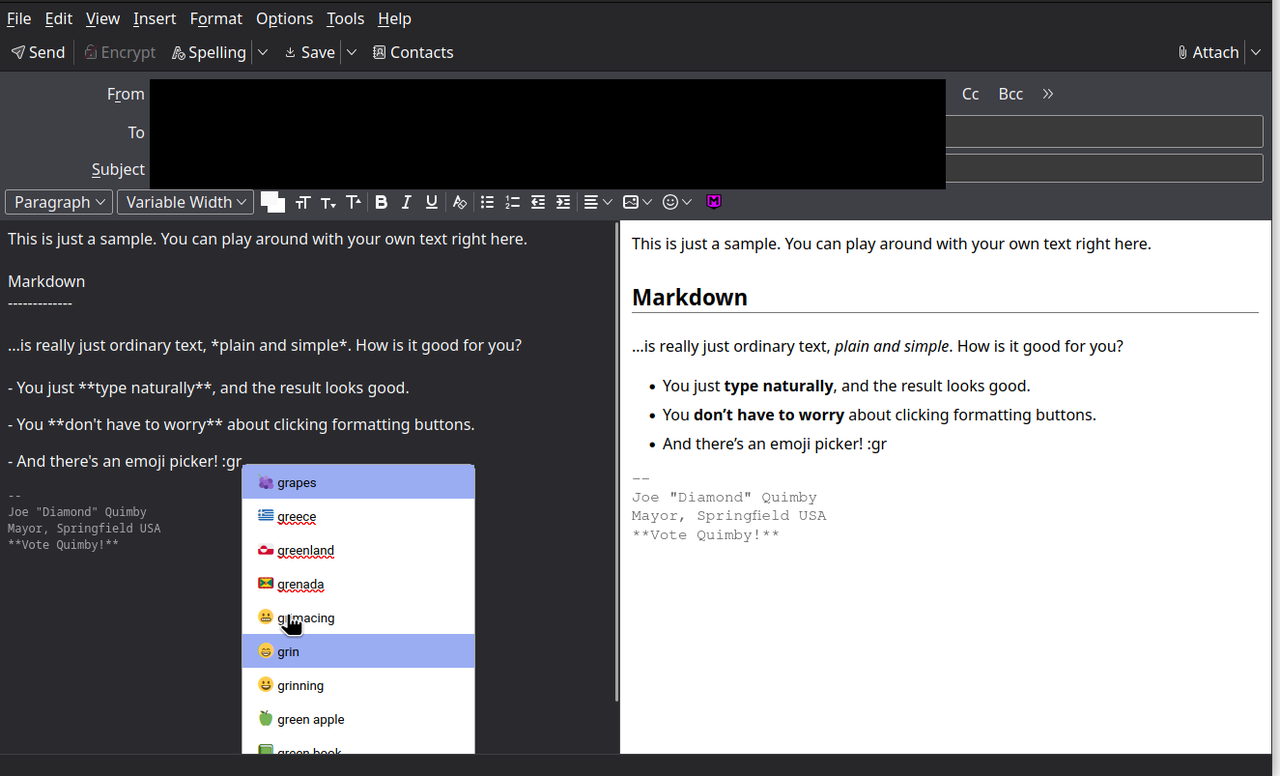
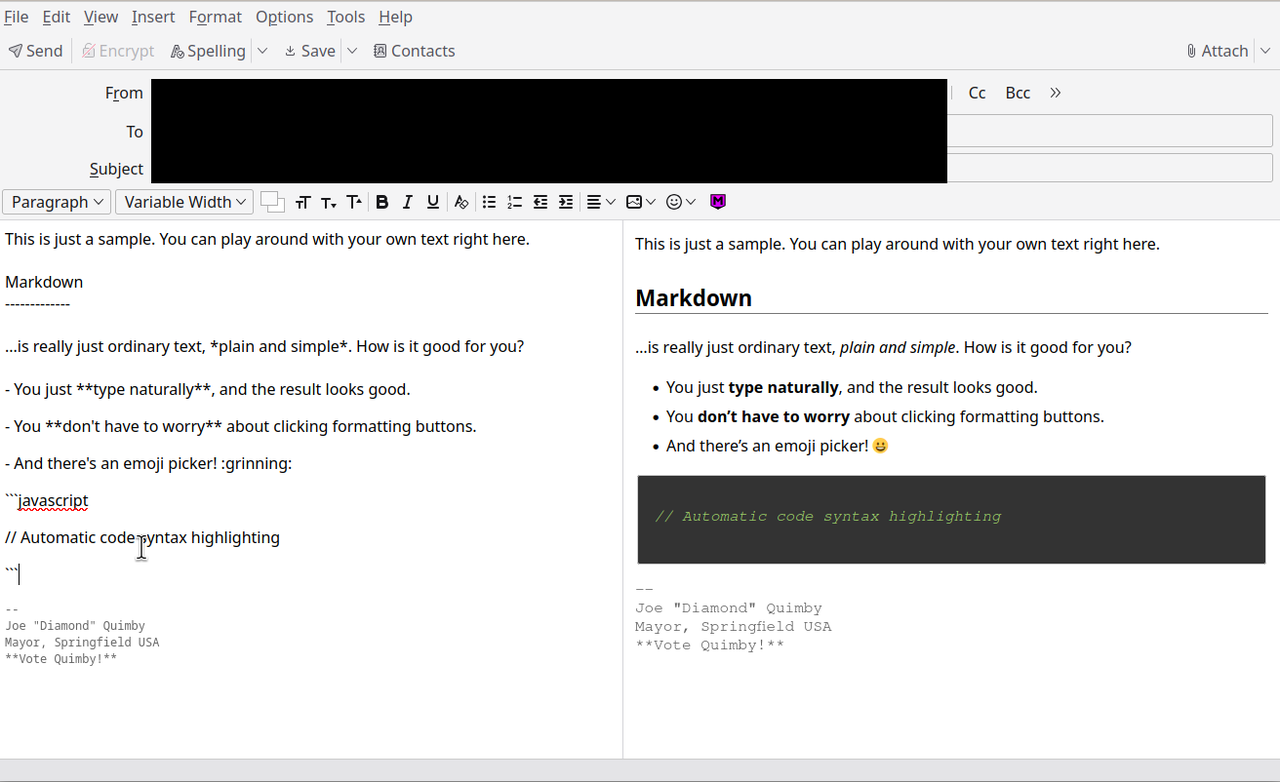
Markdown Here Revival lets you write email in Markdown and render it (make it pretty!) before sending.
Very easy to use:
1. Write your email in Markdown in the left pane.
2. See your email as it will be sent in the right pane.
3. Send it!
Originally forked from Markdown Here to support modern Thunderbird versions, Markdown Here Revival is a near total rewrite of the original to add live preview support.
Permissions explanation:
This addon makes use of the "experiments" API, resulting in the permissions prompt requesting "unrestricted access". This is the case with any Thunderbird addon that uses the experiments API. This is how MDHR modifies Thunderbird's compose window to add the live preview.
Very easy to use:
1. Write your email in Markdown in the left pane.
2. See your email as it will be sent in the right pane.
3. Send it!
Originally forked from Markdown Here to support modern Thunderbird versions, Markdown Here Revival is a near total rewrite of the original to add live preview support.
Permissions explanation:
This addon makes use of the "experiments" API, resulting in the permissions prompt requesting "unrestricted access". This is the case with any Thunderbird addon that uses the experiments API. This is how MDHR modifies Thunderbird's compose window to add the live preview.
