 Додатки
Ласкаво просимо до додатків Thunderbird.
Додайте функції та стиль, щоб зробити Thunderbird своїм.
Закрити
Про цей додаток
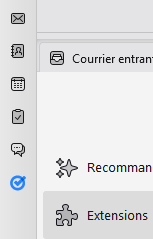
Simple add-on that adds an icon in the space toolbar to quickly open Google Tasks: https://assistant.google.com/tasks
Uses the assistant page that shows one single list.
To show the default task view with multiple lists:
https://addons.thunderbird.net/thunderbird/addon/open-google-tasks-default/
Notes for Google Workspace users (non gmail.com addresses)
The Google assistant features need to be enabled in the Google admin settings:
See: https://workspaceupdates.googleblog.com/2023/06/assistant-and-calendar-reminders-automatically-migrating-to-tasks.html
And: https://support.google.com/assistant/thread/251655316/enabling-google-keep-as-your-notes-and-lists-provider?hl=en
Credits https://addons.thunderbird.net/thunderbird/addon/open-google-tasks/reviews/1173293/
Uses the assistant page that shows one single list.
To show the default task view with multiple lists:
https://addons.thunderbird.net/thunderbird/addon/open-google-tasks-default/
Notes for Google Workspace users (non gmail.com addresses)
The Google assistant features need to be enabled in the Google admin settings:
- https://admin.google.com
- In Apps > Additional Google services > Settings for Search And Assistant
- Enable "Access to Workspace data through Assistant"
See: https://workspaceupdates.googleblog.com/2023/06/assistant-and-calendar-reminders-automatically-migrating-to-tasks.html
And: https://support.google.com/assistant/thread/251655316/enabling-google-keep-as-your-notes-and-lists-provider?hl=en
Credits https://addons.thunderbird.net/thunderbird/addon/open-google-tasks/reviews/1173293/
