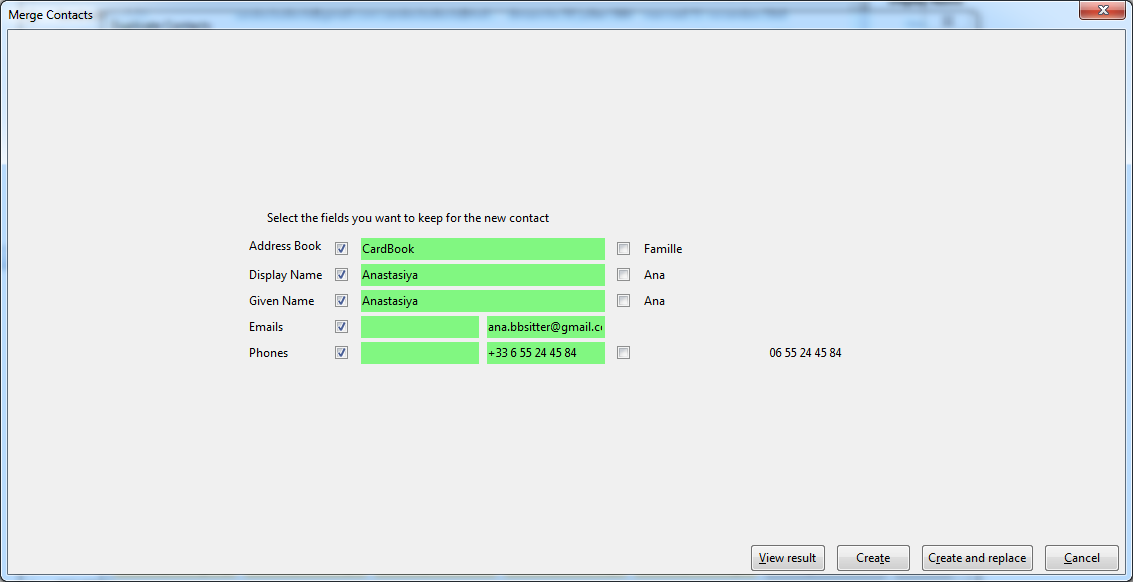
- vCard and zip exports, sharing by email, QR code and print: the types of the phones, emails, addresses, instant messaging and URLs can be chosen, unchecking a field unchecks its types
- print: the categories are tags in the color of the category, as in the contact pane
- address book check: the wrong dates (unreadable, more than 130 years ago, a birth or a death in the future, other dates more than 25 years ahead, a death before the birth)
- preferences: no horizontal scroll bar in the tables (note buttons, fields, types, instant messaging, custom fields...), even in a narrow window
- address book check: the incomplete addresses (no city, or no postal code in a country that has them), the postal codes not matching the country, the malformed URLs, the same email or phone twice in a contact with a button that deletes the lines twice
- security: the address books and the URL of the phone calls use only encrypted connections, http:// becomes https:// (except for the computer itself, as DavMail), the addresses already saved are changed with their passwords
-
VENDOR.md: written in the format read by the automatic review of
addons.thunderbird.net, the QR code library (qrcode-generator 2.0.4) declared with its licence
- contacts: a new tab "Messages" in the contact pane lists the last messages exchanged with the contact (received from it, sent to it, or sent by someone else with the contact in copy, from all its addresses), the most recent first, ten by ten, opened with a click, with a button to write to the contact; the search starts when the tab is shown and stops when another contact is chosen
- preferences: a new preference has its default value in the windows opened at the start of Thunderbird, before CardBook saved it (a tab of the contact pane could stay hidden after an update)
- contacts: a new tab "Calendar" in the contact pane lists the tasks to do, the events to come and the past ones where the contact is an attendee or the organizer, and its dates written by CardBook (birthdays...), ten by ten in each section, opened with a click, with buttons for a new event and a new task
- events of a contact: the dates of the contact written in the calendar by CardBook (birthdays...), found by their id or their title when the calendar (Google) loses the id, and the events organized by the contact are found too, a repeated event shows its next occurrence at its right hour (excluded dates skipped), a contact only in a changed occurrence is found, an address only holding the one of the contact is not taken
- search: much faster, in all the address books too: the contacts read are kept while typing (read again after any change), read in advance when the search field is entered, and each contact is compared at once instead of field by field
- contacts: the tab "Calendar" follows the calendars of Thunderbird (an event or a task added, changed or deleted there), and is read again each time it is shown
- events of a contact: the calendars with a cache (CalDAV, Google) are searched too, they were left out
- birthdays synchronization: a birthday of the day is not added again by each synchronization (its event at midnight in France is the day before in UTC), and the copies already written are deleted at the next synchronization; the tab "Calendar" shows the copies of an event once
- contacts menu: "Find the emails of the contact" and "Find the appointments of the contact" removed, the tabs "Messages" and "Calendar" show them
- contacts menu: the submenu of the categories shows the categories of all the contacts selected first (checked), then the ones of some of them with their count (a click gives it to all, it was disabled), then the others, each group sorted by name
- list edition: the titles and the lists of the available contacts and of the members side by side, aligned, the window can be narrow
- contacts lists: the icon column only takes the width of its icon by default
- Chinese, Japanese and Korean: the Enter that ends the writing of the characters no longer validates a window, adds an email to a list or chooses a category
- dark mode: the colors of the windows written once for the light and the dark mode (light-dark)
- import: several files can be chosen at once, and a zip (a backup or a zip export) can be imported or dropped on an address book to restore its contacts
- contact edition: a zoom stored with a wrong value no longer gives an empty window, the default zoom is taken back, and the zoom stays between 30% and 300%
- search messages window: the criteria of CardBook (in an address book...) are back with Thunderbird 160, whose window changed its name
- vCard export, fields to include: a group (Personal Information...) or a field with types can be unchecked, then only some of its fields or types checked again, the group is then shown partly checked
- search messages window: with Thunderbird 160, it no longer stays empty, without criteria, when the columns of CardBook (or of another extension) are shown in the message list
 Add-ons