 アドオン
アドオン
メール作成/編集
-
*cloud - FileLink for Nextcloud and ownCloud
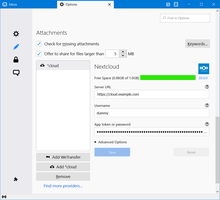
Upload large attachments to your Cloud and send the link by email
39,019 ユーザー -
SmartTemplate4
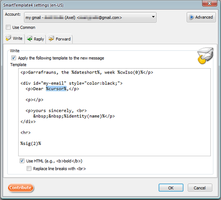
Thunderbird の既定の引用ヘッダをカスタマイズします。テンプレートは全アカウント共通にもアカウントごとにも作成できます。
3,889 ユーザー
最も人気 すべて見る »
-
 Create and Save or Send Multiple Individual and Personalized Messages from a Draft76,319 ユーザー
 -
 Check your emails for spelling and grammar issues74,818 ユーザー
 -
 Switch the signature on/off or choose a new one from your predefined set.53,149 ユーザー
 -
 Securely encrypt and upload large attachments to any Send service instance (formerly Firefox Send).52,340 ユーザー
 -
 Uploads your large attachments to your Dropbox instead of sending them by email. This uses Thunderbird's FileLink feature.49,595 ユーザー

高評価 すべて見る »
-
 Quickly choose one of the previously selected colors for a message text1,428 ユーザー
 -
 Thunderbird は Outlook のようにアドレス全選択からの「一括コピー」ができません。
それを実現するためのアドオンです。505 ユーザー -
Default "Reply" functionality pays attention to "Reply-To" in original email56 ユーザー
-
Create and Save or Send Multiple Individual and Personalized Messages from a Draft76,319 ユーザー
-
 Warns if you send mail from or to a specified domain. If there are multiple accounts in your profile, you can isolate one so that you can't send mail to that domain from outside or vis versa without warning.93 ユーザー
新着 すべて見る »
-
Send files directly from Thunderbird using PARAMANT — post-quantum encrypted, burn-on-read. Files are destroyed after first download. Requires a free PARAMANT API key.1 ユーザー
-
 This extension adds an ‘Undo Send’ feature to Thunderbird—just like Gmail’s Undo Send—giving you 10 seconds to cancel an email after clicking Send.9 ユーザー
 -
A lightweight Thunderbird add-on that allows you to add private comments to emails. These comments are stored as "Unsent Replies" directly within the same folder as the original message, ensuring your notes sync across all your devices.9 ユーザー
-
 Summarize emails and refine selected text using your own AI API. Set your OpenAI-compatible endpoint and key in options; no built-in backend. Summarize when reading mail; Refine with one click in the compose toolbar, then Insert to replace the text.4 ユーザー
 -
 When replying to an email this will set a "Customize From Address..." with the original recipient.
This is useful when using custom email addresses with plus addressing or a catch-all.
If a name is missing it will use the name of the set identity.1 ユーザー

メール作成/編集 カテゴリーの 296 個の拡張機能を見る »
自分のコレクションを作成するには Mozilla アドオンサイトのアカウントが必要です。
あるいは 既存のアカウントへログイン
