 పొడిగింతలు

Column Reader 5.8
ద్వారా Peter J. Sloetjes, MSc.
Web reader for wide screens and long documents. Read with pleasure in attractive layouts.
![[హెచ్చరిక]](https://addons.thunderbird.net/static/img/developers/test-warning.png?b=58a99cbb-667a0970) అనుమతులు
అనుమతులు
ఈ పొడగింత గురించి
Features
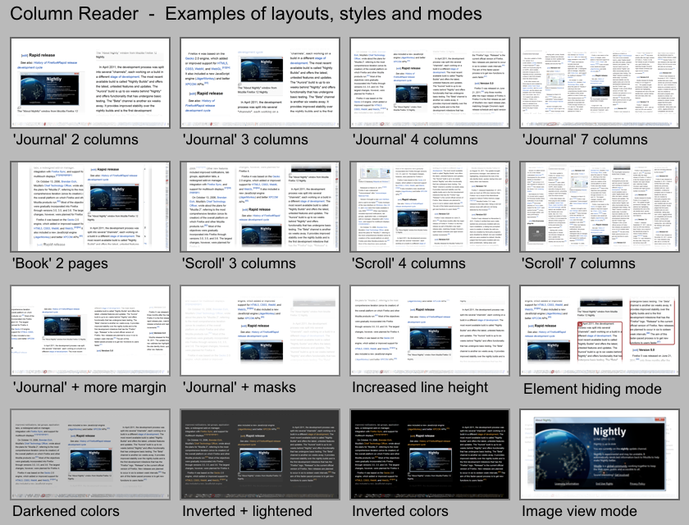
Column Reader makes reading a pleasure by providing the following features (see Screenshot 1):
> Paper, scroll and book layouts.
> Up to five columns for wide screens.
> Four different scrolling modes.
> Document miniature view in scroll bar.
> Replacement of fonts by a local font.
> Configurable color filters.
> Full screen image view with pan and zoom.
> Storage of settings for web domains.
> An intuitive content selection tool.
Usage
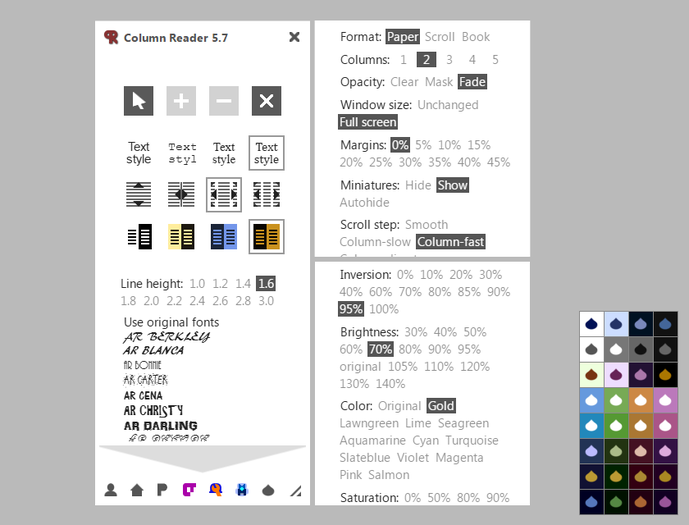
Column Reader adds a toolbar button which you may click 1) to enter the content selection mode or 2) to directly enter the reader mode in case options had already been saved for the current domain (see Screenshot 2).
To exit the reader, you may click the red bar within the reader, press ESC, or click the Column Reader toolbar button.
Within the reader, the following keys may be used to scroll: arrow left / arrow right / page up / page down / arrow up / arrow down / space / home. Reader areas that have a scroll function are recognizable by a custom mouse cursor. Content elements that can be scrolled horizontally show a horizontal arrow cursor.
Tips
> Left-click is disabled within the reader for safety (except for internal links), but you may still use right-click.
> In case content is too wide to fit a column, your best option is to reduce the number of columns using the options panel.
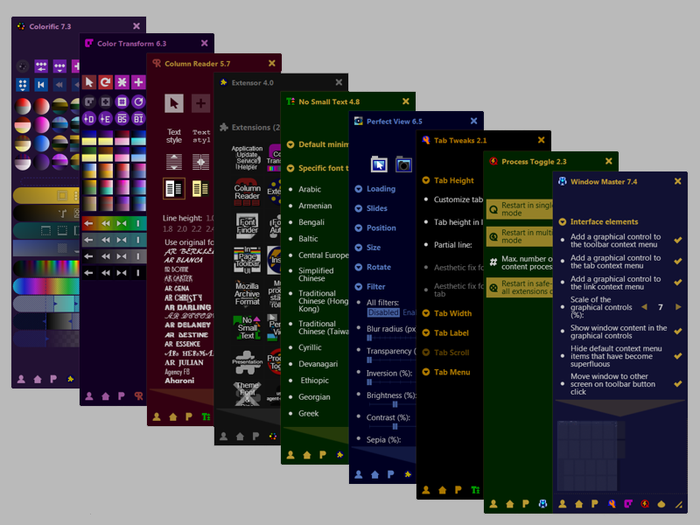
> Version 5.0 uses the GPU for color transformation, which may result in noticeably slower scrolling if your GPU is slow. If this is the case, you may want to use my extensions Colorific or Color Transform for page coloration (although these consume significant CPU time during color transformation).
About
Column Reader has been available since January 2012. Further development of this extension has been paused as of February 2017.
Column Reader makes reading a pleasure by providing the following features (see Screenshot 1):
> Paper, scroll and book layouts.
> Up to five columns for wide screens.
> Four different scrolling modes.
> Document miniature view in scroll bar.
> Replacement of fonts by a local font.
> Configurable color filters.
> Full screen image view with pan and zoom.
> Storage of settings for web domains.
> An intuitive content selection tool.
Usage
Column Reader adds a toolbar button which you may click 1) to enter the content selection mode or 2) to directly enter the reader mode in case options had already been saved for the current domain (see Screenshot 2).
To exit the reader, you may click the red bar within the reader, press ESC, or click the Column Reader toolbar button.
Within the reader, the following keys may be used to scroll: arrow left / arrow right / page up / page down / arrow up / arrow down / space / home. Reader areas that have a scroll function are recognizable by a custom mouse cursor. Content elements that can be scrolled horizontally show a horizontal arrow cursor.
Tips
> Left-click is disabled within the reader for safety (except for internal links), but you may still use right-click.
> In case content is too wide to fit a column, your best option is to reduce the number of columns using the options panel.
> Version 5.0 uses the GPU for color transformation, which may result in noticeably slower scrolling if your GPU is slow. If this is the case, you may want to use my extensions Colorific or Color Transform for page coloration (although these consume significant CPU time during color transformation).
About
Column Reader has been available since January 2012. Further development of this extension has been paused as of February 2017.
