 పొడిగింతలు
పొడిగింతలకు Thunderbird స్వాగతం.
Add extra features and styles to make Thunderbird your own.
మూసివేయి
ఈ పొడగింత గురించి
Notes for version 5:
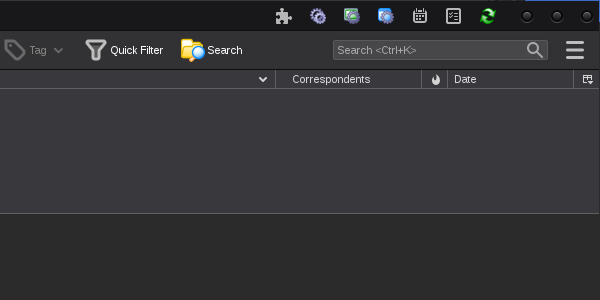
Supernova update, moved all buttons to the Tab Bar.
Re-added Add-ons and Themes button.
Advanced Preferences (about:config) now opens in a tab.
Buttons are now unmovable, this may be fixed later.
Some buttons are available as unified toolbar buttons,click on the links below.
Notes for version 4:
Complete rewrite for Thunderbird 112, currently only a few buttons are available:
- Search Messages, Config Editor, Developer Tools, Preferences & Restart.
- All buttons are inserted at the end of the Tab Bar, but can be moved.
- It may be necessary to restart Thunderbird for buttons to move or appear.
- It may be necessary to move buttons on the Tab Bar to make them "stick".
For some of the old toolbar buttons separate extensions have been written.
For older versions:
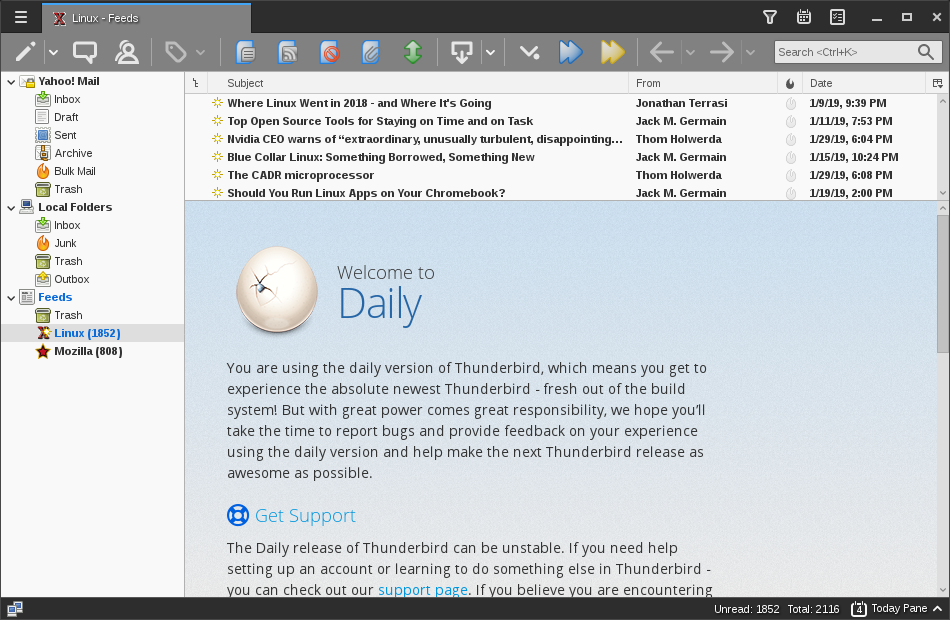
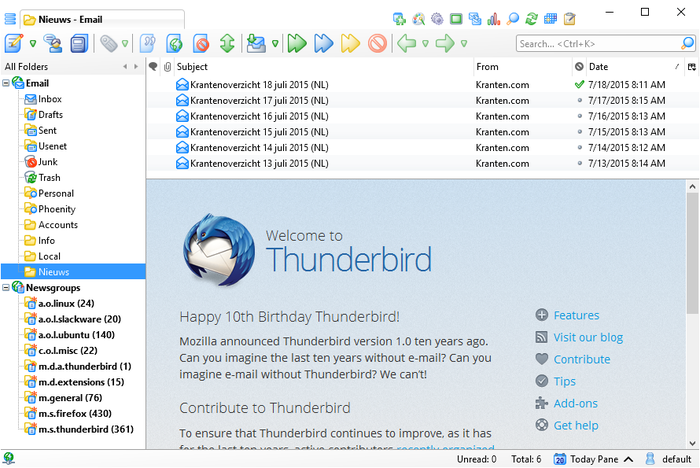
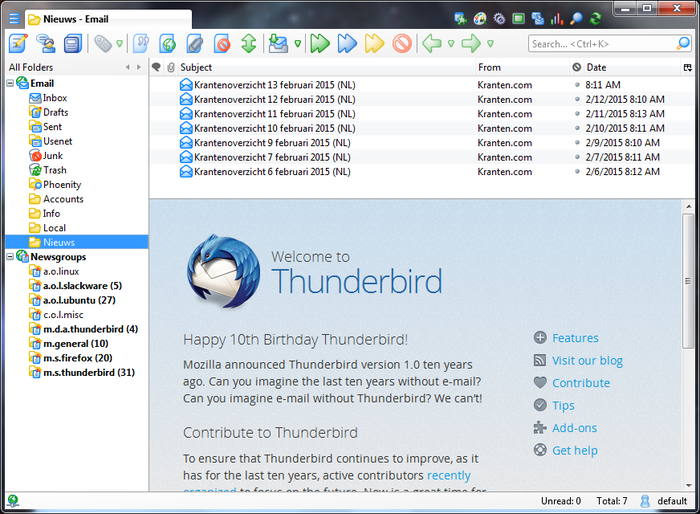
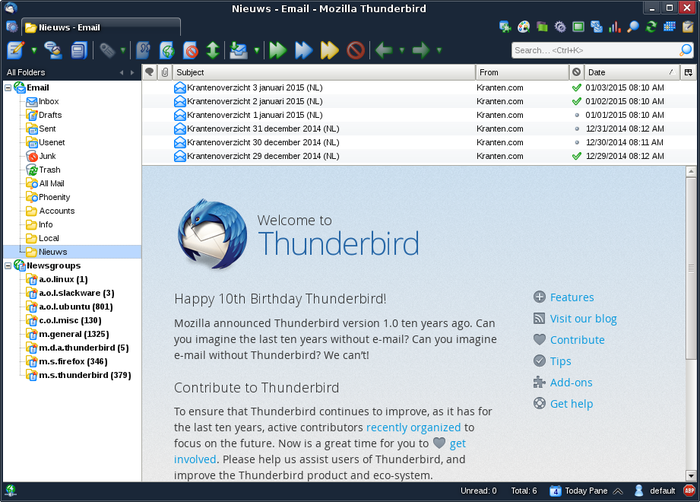
Displays message headers more compact.
- Adds Toggle Details (Compact Headers) twisty, switches between collapsed and expanded headers.
- Adds Toggle Details shortcut key [D], switches between collapsed and expanded headers.
- Shortcut key [D] invokes CompactHeader, when it is installed.
- Adds Toggle Headers shortcut key [H], switches between all and normal headers.
- Shortcut key [H] invokes Toggle Headers, when it is installed.
- Adds Toggle Layout shortcut key [V], cycles through vertical, wide and classic layouts.
- Adds option to use large buttons on the main toolbars on Thunderbird 63 and later.
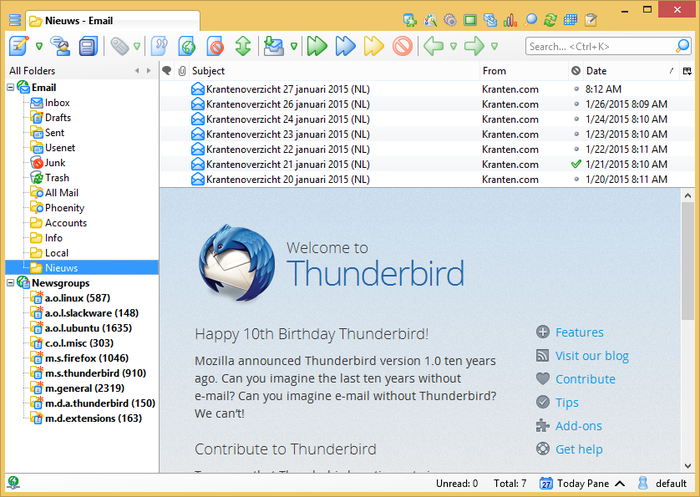
Adds these toolbar buttons:
- Mark Thread As Read
- Mark All Read
- Kill This Thread
- View Ignored Threads
- Toggle Message Pane
- View Message Body As HTML
- Display Attachments Inline
- Show Feed Summary
- Config Editor
- Preferences
- Download Manager
- Activity Manager
- Filter Manager
- Developer Toolbox
- Error Console
- Close Thunderbird
- Restart Thunderbird
- Get All New Messages
- Send Message Later
- Send Unsent Messages
- Open Profile Folder
- Find (Search messages)
To add buttons to a toolbar right-click the toolbar and select Customize...
Please don't post bug reports in the review section, use the provided support email address instead.
Supernova update, moved all buttons to the Tab Bar.
Re-added Add-ons and Themes button.
Advanced Preferences (about:config) now opens in a tab.
Buttons are now unmovable, this may be fixed later.
Some buttons are available as unified toolbar buttons,click on the links below.
Notes for version 4:
Complete rewrite for Thunderbird 112, currently only a few buttons are available:
- Search Messages, Config Editor, Developer Tools, Preferences & Restart.
- All buttons are inserted at the end of the Tab Bar, but can be moved.
- It may be necessary to restart Thunderbird for buttons to move or appear.
- It may be necessary to move buttons on the Tab Bar to make them "stick".
For some of the old toolbar buttons separate extensions have been written.
For older versions:
Displays message headers more compact.
- Adds Toggle Details (Compact Headers) twisty, switches between collapsed and expanded headers.
- Adds Toggle Details shortcut key [D], switches between collapsed and expanded headers.
- Shortcut key [D] invokes CompactHeader, when it is installed.
- Adds Toggle Headers shortcut key [H], switches between all and normal headers.
- Shortcut key [H] invokes Toggle Headers, when it is installed.
- Adds Toggle Layout shortcut key [V], cycles through vertical, wide and classic layouts.
- Adds option to use large buttons on the main toolbars on Thunderbird 63 and later.
Adds these toolbar buttons:
- Mark Thread As Read
- Mark All Read
- Kill This Thread
- View Ignored Threads
- Toggle Message Pane
- View Message Body As HTML
- Display Attachments Inline
- Show Feed Summary
- Config Editor
- Preferences
- Download Manager
- Activity Manager
- Filter Manager
- Developer Toolbox
- Error Console
- Close Thunderbird
- Restart Thunderbird
- Get All New Messages
- Send Message Later
- Send Unsent Messages
- Open Profile Folder
- Find (Search messages)
To add buttons to a toolbar right-click the toolbar and select Customize...
Please don't post bug reports in the review section, use the provided support email address instead.
