 పొడిగింతలు
పొడిగింతలకు Thunderbird స్వాగతం.
Add extra features and styles to make Thunderbird your own.
మూసివేయి
Xpunge 5.0.2
ద్వారా Theodore Tegos
Empties the Trash and Junk folders, and compacts folders in multiple Thunderbird accounts.

ఈ పొడగింత గురించి
NOTE: Xpunge is not compatible with TB 140+ yet, because TB 140+ has a bug that has broken some of the functionality of Xpunge, specifically related to emptying & compacting junk folders: See Bugzilla Bug 1977840.
NOTE: Xpunge is available in TB 128 (and above) thanks to the hard work of John Bieling from the Thunderbird team, who did the needed significant rewrite. If you like Xpunge and are considering supporting its continued development with a donation, please consider donating to Thunderbird too/instead.
A bug related to exchange accounts accessed via the Owl add-on has been fixed in Xpunge 5.0.2. It was preventing Xpunge from emptying the trash or compacting the folders of other accounts, if they were configured to come after exchange accounts in the MultiXpunge/Timer preferences. NOTE: There are mixed reports about whether emptying the trash/junk of exchange accounts works. And the compacting of exchange accounts/folders does not work.
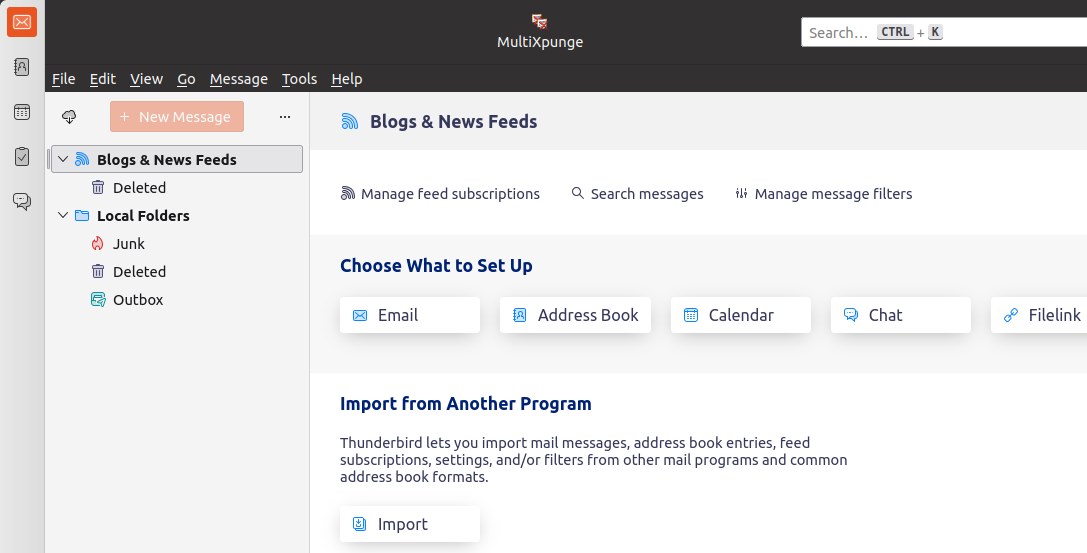
Xpunge is an extension that combines the functionality of emptying certain folders (trash and junk) and also compacting user-specified folders in a single action and for multiple accounts. This can be done with a single mouse click on a toolbar button or through a sub-menu under Thunderbird's Menu Bar "Tools" menu.
Its functionality can be invoked either on the currently selected account only ("Xpunge") or on a configurable list of multiple Thunderbird accounts ("MultiXpunge"). There is also a separately configurable timer feature that allows the functionality offered by "MultiXpunge" to be automatically applied at regular intervals and at a specific time every day.
Xpunge works on all types of Thunderbird accounts. If you find an issue, please send me an email using the "Support E-mail" link on Xpunge's ATN page, and I will do my best to help you troubleshoot.
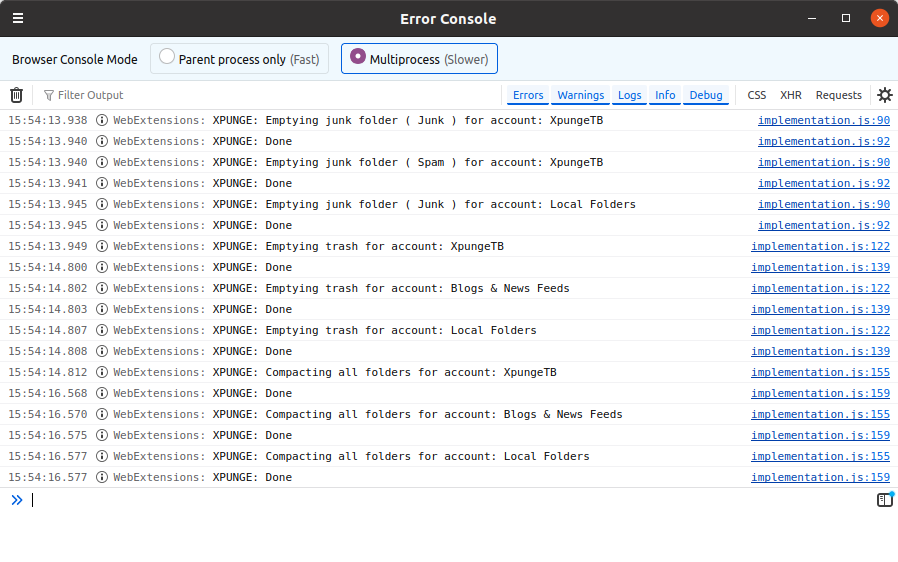
Note that Xpunge does not print any messages on the status bar of Thunderbird, none of the Xpunge versions ever did. Any messages that appear on the status bar when you empty the trash/junk or compact folders, come from Thunderbird functions that Xpunge calls in order to perform those operations. Xpunge cannot control or change this. If certain messages are no longer displayed on the status bar, it is because the Thunderbird functions available to Xpunge do not display them.
Xpunge is compatible with Thunderbird 128 since version 5.0.0. This involved a significant rewrite of the logic and the preferences/options page, in order to make Xpunge compatible with MailExtensions/WebExtensions.
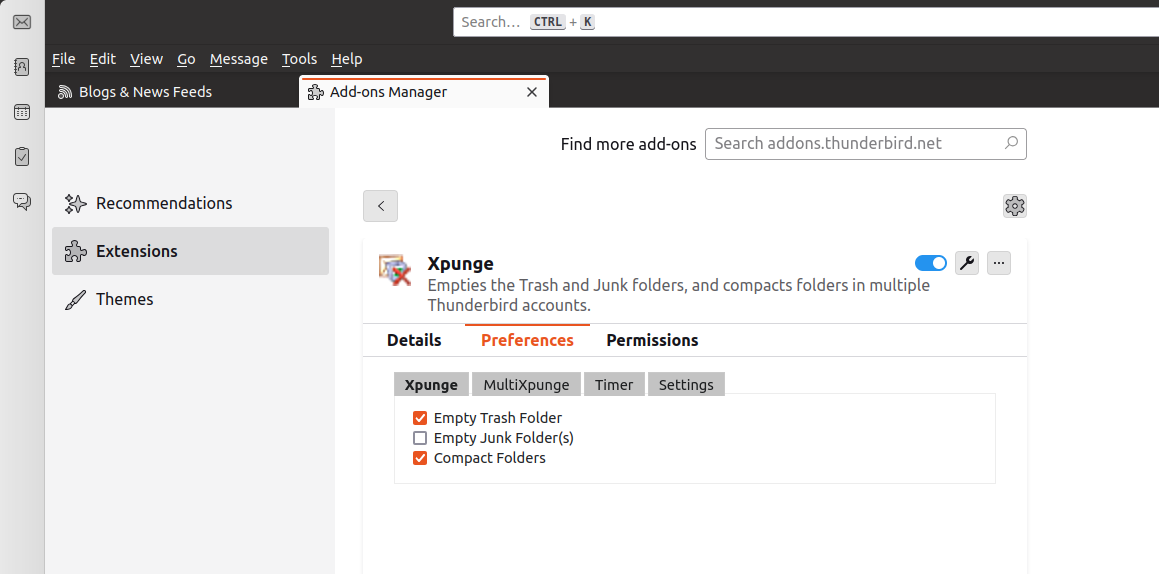
Note that Thunderbird no longer has a Menu Bar entry under the Tools menu for the options page of Xpunge. That page is now available through the wrench icon in the Extensions tab of the Add-ons Manager (accessible through the "Add-ons and Themes" menu entry).
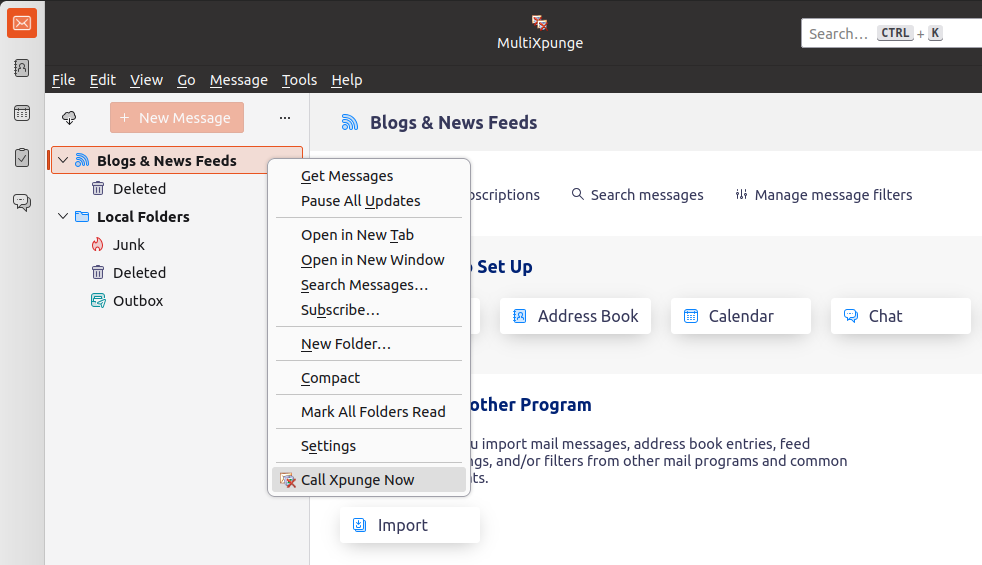
Due to limitations imposed by MailExtensions, Xpunge can add only one button in Thunderbird. So the "MultiXpunge" button is still available, but the other button provided by Xpunge in previous versions (called "Xpunge") is not available from version 2.1.0 onwards. You can invoke the functionality that used to be offered by that button through the sub-menu called "Xpunge" under Thunderbird's Menu Bar "Tools" menu (Menu Bar --> Tools --> Xpunge --> Xpunge --> Call Xpunge Now). The "Call Xpunge Now" option is also available in the context (i.e. right-click) menu of a top-level account. Note that since version 5.0.0, you need to select the top-level account for the single Xpunge functionality to work. It cannot be any subfolder like in previous versions.
ATTENTION: Compacting folders means that all the messages you have previously deleted from those folders are permanently deleted from the hard disk and cannot be retrieved again.
ATTENTION: Be careful when you use the functionality for emptying the junk folders. It is not the same as emptying the trash folder, in the sense that messages are deleted on purpose, whereas your spam filter may put useful (non-spam) emails in the junk folder. So emptying this folder will cause you to lose those emails. Xpunge has all the junk features turned off by default to avoid accidents. Please enable and use the junk functionality at your own risk.
ATTENTION: When you select to empty the Junk of an account, all the folders of that account that are known to Thunderbird to be "junk" folders will be emptied. For example, if you set up a Gmail IMAP account, where the junk folder is called "Spam", and you also change the settings of that account in Thunderbird to move new junk messages to a folder called "Junk", both folders will be emptied if you enable emptying the Junk for that account in Xpunge.
NOTE: Xpunge is available in TB 128 (and above) thanks to the hard work of John Bieling from the Thunderbird team, who did the needed significant rewrite. If you like Xpunge and are considering supporting its continued development with a donation, please consider donating to Thunderbird too/instead.
A bug related to exchange accounts accessed via the Owl add-on has been fixed in Xpunge 5.0.2. It was preventing Xpunge from emptying the trash or compacting the folders of other accounts, if they were configured to come after exchange accounts in the MultiXpunge/Timer preferences. NOTE: There are mixed reports about whether emptying the trash/junk of exchange accounts works. And the compacting of exchange accounts/folders does not work.
Xpunge is an extension that combines the functionality of emptying certain folders (trash and junk) and also compacting user-specified folders in a single action and for multiple accounts. This can be done with a single mouse click on a toolbar button or through a sub-menu under Thunderbird's Menu Bar "Tools" menu.
Its functionality can be invoked either on the currently selected account only ("Xpunge") or on a configurable list of multiple Thunderbird accounts ("MultiXpunge"). There is also a separately configurable timer feature that allows the functionality offered by "MultiXpunge" to be automatically applied at regular intervals and at a specific time every day.
Xpunge works on all types of Thunderbird accounts. If you find an issue, please send me an email using the "Support E-mail" link on Xpunge's ATN page, and I will do my best to help you troubleshoot.
Note that Xpunge does not print any messages on the status bar of Thunderbird, none of the Xpunge versions ever did. Any messages that appear on the status bar when you empty the trash/junk or compact folders, come from Thunderbird functions that Xpunge calls in order to perform those operations. Xpunge cannot control or change this. If certain messages are no longer displayed on the status bar, it is because the Thunderbird functions available to Xpunge do not display them.
Xpunge is compatible with Thunderbird 128 since version 5.0.0. This involved a significant rewrite of the logic and the preferences/options page, in order to make Xpunge compatible with MailExtensions/WebExtensions.
Note that Thunderbird no longer has a Menu Bar entry under the Tools menu for the options page of Xpunge. That page is now available through the wrench icon in the Extensions tab of the Add-ons Manager (accessible through the "Add-ons and Themes" menu entry).
Due to limitations imposed by MailExtensions, Xpunge can add only one button in Thunderbird. So the "MultiXpunge" button is still available, but the other button provided by Xpunge in previous versions (called "Xpunge") is not available from version 2.1.0 onwards. You can invoke the functionality that used to be offered by that button through the sub-menu called "Xpunge" under Thunderbird's Menu Bar "Tools" menu (Menu Bar --> Tools --> Xpunge --> Xpunge --> Call Xpunge Now). The "Call Xpunge Now" option is also available in the context (i.e. right-click) menu of a top-level account. Note that since version 5.0.0, you need to select the top-level account for the single Xpunge functionality to work. It cannot be any subfolder like in previous versions.
ATTENTION: Compacting folders means that all the messages you have previously deleted from those folders are permanently deleted from the hard disk and cannot be retrieved again.
ATTENTION: Be careful when you use the functionality for emptying the junk folders. It is not the same as emptying the trash folder, in the sense that messages are deleted on purpose, whereas your spam filter may put useful (non-spam) emails in the junk folder. So emptying this folder will cause you to lose those emails. Xpunge has all the junk features turned off by default to avoid accidents. Please enable and use the junk functionality at your own risk.
ATTENTION: When you select to empty the Junk of an account, all the folders of that account that are known to Thunderbird to be "junk" folders will be emptied. For example, if you set up a Gmail IMAP account, where the junk folder is called "Spam", and you also change the settings of that account in Thunderbird to move new junk messages to a folder called "Junk", both folders will be emptied if you enable emptying the Junk for that account in Xpunge.
