 Tilføjelser
Velkommen til tilføjelser til Thunderbird.
Tilføj yderligere funktioner og temaer for at gøre Thunderbird til din helt egen.
Luk
ScrollToNext 0.1 Kræver genstart
af em_te
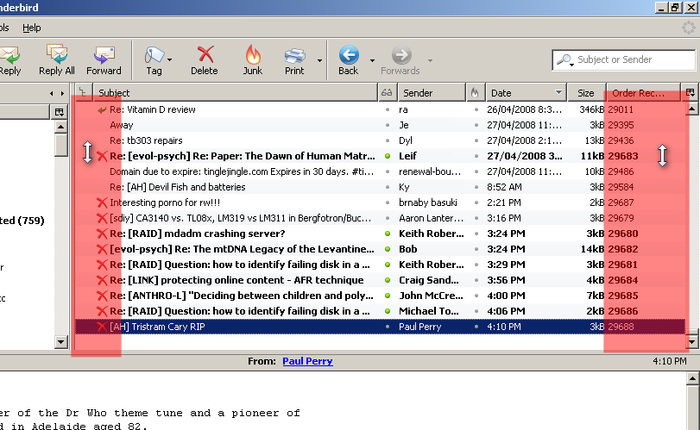
Use your mouse-wheel to select the next message by placing the mouse over the right hand side of the message list pane and then scrolling.
![[Advarsel]](https://addons.thunderbird.net/static/img/developers/test-warning.png?b=58a99cbb-667a0970) Tilladelser
Tilladelser
Om denne tilføjelse
Use your mouse-wheel to select the next message by placing the mouse over the right hand side of the message list pane and then rolling the mouse-wheel. To scroll normally, place the mouse over the center of the message list pane and roll as normal. The type of cursor will indicate what will be scrolled.
This extension also simplifies scrolling horizontally in the message preview pane. In the message preview pane, if the message width is too wide, simply move the mouse towards the right hand side of the preview pane to automatically scroll right.
This extension also simplifies scrolling horizontally in the message preview pane. In the message preview pane, if the message width is too wide, simply move the mouse towards the right hand side of the preview pane to automatically scroll right.
