 Tilføjelser
Velkommen til tilføjelser til Thunderbird.
Tilføj yderligere funktioner og temaer for at gøre Thunderbird til din helt egen.
LukMeddelelsesskrivning
-
*cloud - FileLink for Nextcloud OpenCloud ownCloud
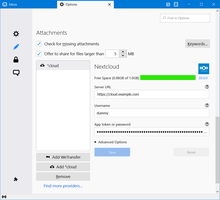
Upload large attachments to your Cloud and send the link by email
39.082 brugere -
SmartTemplates
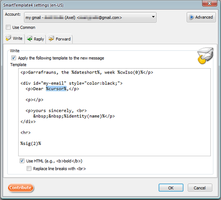
SmartTemplates offers an easy and powerful way to automatically create customized replies by auto-inserting various mail headers. Templates can be created for every mail identity, Stationery files can now be imported and used directly.
3.799 brugere
Mest populære Se alle »
-
 Sandt “Send senere” funktionalitet til at planlægge tid til at sende en e-mail.124.120 brugere
 -
 Create and Save or Send Multiple Individual and Personalized Messages from a Draft82.144 brugere
 -
 Check your emails for spelling and grammar issues80.652 brugere
 -
 Highlights selected text when composing emails. Default colour is yellow - other colours are available via Options.
(Works only during writing an e-mail, i.e. only in the compose window.)55.273 brugere -
 Switch the signature on/off or choose a new one from your predefined set.55.249 brugere
 -
 Securely encrypt and upload large attachments to any Send service instance (formerly Firefox Send).52.717 brugere
Bedst bedømte Se alle »
-
 Thunderbird は Outlook のようにアドレス全選択からの「一括コピー」ができません。
それを実現するためのアドオンです。391 brugere -
Macro Template is to replace mail templates with macros for date formatting.596 brugere
-
Default "Reply" functionality pays attention to "Reply-To" in original email54 brugere
-
Create and Save or Send Multiple Individual and Personalized Messages from a Draft82.144 brugere
-
 Warns if you send mail from or to a specified domain. If there are multiple accounts in your profile, you can isolate one so that you can't send mail to that domain from outside or vis versa without warning.89 brugere
Tilføjet for nylig Se alle »
-
 Smart semantic voice dictation inspired by Google Rambler: removes filler words, auto-corrects on the fly, and formats clean emails right under your cursor in Thunderbird.2 brugere
 -
Preserves Microsoft Excel table formatting when copying and pasting tables into Thunderbird email messages.6 brugere
-
 Canned replies for Thunderbird: type a key like po1 and press Tab, or search your snippets. Fields like {{PONUMBER}}, recipient names, dates, attachments and Quicktext import.3 brugere
 -
Uploads large attachments to Infomaniak kDrive and inserts a share link into the message.
Télécharge vos pièces jointe dans un dossier Kdrive et insert un lien unique dans le message.2 brugere -
 Écartez un mail en cours, puis envoyez-le d’un clic ou rouvrez-le pour le modifier. Plus simple qu’un brouillon classique. Le tout via un dossier local : Messages en attente0 brugere
 -
 Connect Thunderbird to local Codex chats: search mail, manage attachments and prepare replies with history. Drafts by default; optional autonomous sending.1 bruger
Se alle 388 udvidelser i kategorien Meddelelsesskrivning »
For at lave en samling, skal du have en brugerkonto til dette websted.
