 Add-ons
Message Composition
-
*cloud - FileLink for Nextcloud OpenCloud ownCloud
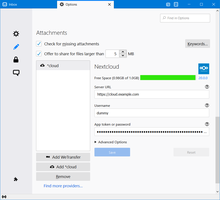
Upload large attachments to your Cloud and send the link by email
41,335 users -
SmartTemplates

SmartTemplates offers an easy and powerful way to automatically create customized replies by auto-inserting various mail headers. Templates can be created for every mail identity, Stationery files can now be imported and used directly.
3,773 users
Most Popular See all »
-
 True "Send Later" functionality to schedule the time for sending an email.122,520 users
-
 Create and Save or Send Multiple Individual and Personalized Messages from a Draft79,434 users
-
 Check your emails for spelling and grammar issues77,815 users
-
 Highlights selected text when composing emails. Default colour is yellow - other colours are available via Options.
(Works only during writing an e-mail, i.e. only in the compose window.)55,407 users -
 Switch the signature on/off or choose a new one from your predefined set.55,193 users
-
 Securely encrypt and upload large attachments to any Send service instance (formerly Firefox Send).53,789 users
Top Rated See all »
-
 Thunderbird は Outlook のようにアドレス全選択からの「一括コピー」ができません。
それを実現するためのアドオンです。358 users -
Macro Template is to replace mail templates with macros for date formatting.554 users
-
Default "Reply" functionality pays attention to "Reply-To" in original email50 users
-
Create and Save or Send Multiple Individual and Personalized Messages from a Draft79,434 users
-
 Allows you to use your Exchange and Office365 email account with Thunderbird using Outlook Web Access (OWA).39,234 users
-
 Warns if you send mail from or to a specified domain. If there are multiple accounts in your profile, you can isolate one so that you can't send mail to that domain from outside or vis versa without warning.90 users
Recently Added See all »
-
 Convert attachments with Converter Studio: iPhone photos to JPG, Word to PDF, smaller PDFs, videos to MP4 and more, before you send or after you receive.0 users
-
 Reply point by point in Thunderbird's normal compose editor: type anywhere inside a quote and it is split right there. Your text is inserted as colored HTML with a configurable marker such as [OH]: (initials, name, date). Plain text works too.1 user
-
Type a shortcut like ;sig and press Space or Tab to insert a saved reply in a message you are writing. Text expander, local only.0 users
-
Use HTML files as email templates in Thunderbird for new mails, replies and forwards
- Free: 1 template.
- Premium license (EUR 4, one-time): use unlimited templates
Inspired by the original Stationery by Arivald, but a new, independent rewrite2 users -
作成したテンプレートをメール本文のカーソル位置に挿入します。宛先・添付ファイル名・日付・ループ処理・変数処理・条件処理などテンプレートタグで細かい表現が可能です。 Inserts custom templates at the cursor in email bodies. Custom tags for recipients, attachments, dates, loops, variables, and conditions enable flexible emails.1 user
-
Attach frequently used documents to Thunderbird emails with one click.1 user
See all 428 extensions in Message Composition »
To create your own collections, you must have a Mozilla Add-ons account.
