 ส่วนเสริม
ยินดีต้อนรับสู่ส่วนเสริม Thunderbird
Add extra features and styles to make Thunderbird your own.
ปิดการเขียนข้อความ
-
SmartTemplates
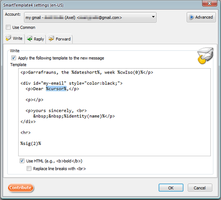
SmartTemplates offers an easy and powerful way to automatically create customized replies by auto-inserting various mail headers. Templates can be created for every mail identity, Stationery files can now be imported and used directly.
3,682 ผู้ใช้ -
*cloud - FileLink for Nextcloud OpenCloud ownCloud
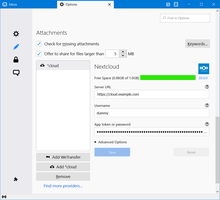
Upload large attachments to your Cloud and send the link by email
39,725 ผู้ใช้
ได้รับความนิยมสูงสุด ดูทั้งหมด »
-
 True "Send Later" functionality to schedule the time for sending an email.118,903 ผู้ใช้
 -
 Create and Save or Send Multiple Individual and Personalized Messages from a Draft76,511 ผู้ใช้
 -
 Check your emails for spelling and grammar issues74,493 ผู้ใช้
 -
 Switch the signature on/off or choose a new one from your predefined set.53,942 ผู้ใช้
 -
 Securely encrypt and upload large attachments to any Send service instance (formerly Firefox Send).53,388 ผู้ใช้
 -
 Highlights selected text when composing emails. Default colour is yellow - other colours are available via Options.
(Works only during writing an e-mail, i.e. only in the compose window.)52,655 ผู้ใช้
ถูกจัดอันดับสูงสุด ดูทั้งหมด »
-
 Thunderbird は Outlook のようにアドレス全選択からの「一括コピー」ができません。
それを実現するためのアドオンです。366 ผู้ใช้ -
Macro Template is to replace mail templates with macros for date formatting.571 ผู้ใช้
-
Default "Reply" functionality pays attention to "Reply-To" in original email51 ผู้ใช้
-
 Allows you to use your Exchange and Office365 email account with Thunderbird using Outlook Web Access (OWA).38,857 ผู้ใช้
 -
Create and Save or Send Multiple Individual and Personalized Messages from a Draft76,511 ผู้ใช้
-
 Warns if you send mail from or to a specified domain. If there are multiple accounts in your profile, you can isolate one so that you can't send mail to that domain from outside or vis versa without warning.90 ผู้ใช้
เพิ่มล่าสุด ดูทั้งหมด »
-
 Attach files from your Nextcloud to an email as real attachments – without saving them to your computer first. Or insert them as share links with optional password and expiry date. Works with any Nextcloud, no server app needed.1 ผู้ใช้
 -
 Create and attach calendar invitations directly from Thunderbird's email compose window. Simple meeting scheduling without switching apps.1 ผู้ใช้
 -
 Word and character counter for the message you are writing, with social media limits and one-click case changes for the subject and selected text. Works offline.0 ผู้ใช้
 -
 Look up flexible workspace prices for a city from the message or compose window. Public CoworkingView Price Index, CC BY 4.0. Sends the city slug to api.coworkingview.com. Does not read messages.0 ผู้ใช้
 -
 Translate incoming emails and outgoing replies in Thunderbird with Microsoft or Google. No API keys required.15 ผู้ใช้
 -
 Render LaTeX equations locally in Thunderbird, preview them, and insert PNGs. Adjust color, size, and layout; edit equations and save custom macros. Interface: English, French, German, Italian, Spanish, and Greek.4 ผู้ใช้
ดู 403 ส่วนขยายทั้งหมดใน การเขียนข้อความ »
To create your own collections, you must have a Mozilla Add-ons account.
