• რეგისტრაცია ან შესვლა
  • სხვა პროგრამები
    • Firefox
    • Firefox Android
    • SeaMonkey

Thunderbird დამატებები

  • გაფართოებები
    • რჩეული
    • ყველაზე სასურველი
    • საუკეთესოდ შეფასებული
    • ენის ხელსაწყოები
    • იერსახე და მორგება
    • კალენდარი, თარიღი/დრო
    • კონტაქტები
    • პირადულობა და უსაფრთხოება
    • საუბარი და შეტყობინებები
    • საქაღალდეები და დახარისხება
    • სიახლეების და ცნობების წამკითხველი
    • სხვადასხვა
    • შეტანა/გატანა
    • შეტყობინების გაგზავნა
    • ჭდეები
  • თემები
    • ყველაზე სასურველი
    • საუკეთესოდ შეფასებული
    • უახლესი
    • აბსტრაქტული
    • ბუნება
    • დღესასწაული
    • ვებგვერდები
    • მთლიანი
    • მოდა
    • მრწამსი
    • მუსიკა
    • სეზონური
    • სპორტი
    • სხვა
    • ფილმები და ტელევიზია
    • ხედები
    გსურთ მეტად მორგება? სცადეთ სრული თემები
  • კრებულები
    • რჩეული

    • ჩემ მიერ შექმნილი კრებულები
    • ჩემი რჩეული დამატებები
  • სხვა…
    • ლექსიკონები და ენის პაკეტები
    • ძიების ხელსაწყოები
    • შემმუშავებლები

მოგესალმებით, Thunderbird დამატებების გვერდზე.

დაამატეთ ახალი შესაძლებლობები და გაფორმებები, რომ გახადოთ Thunderbird მეტად თქვენებური.

დახურვა

სახლიდან გასვლისას?

გაეცანით მობილურის დამატებების გვერდს.

დახურვა
4 შეფასება 5 ვარსკვლავიდან
540 მომხმარებლის მიმოხილვა
61 505 მომხმარებელი
კრებულში დამატება
CardBook-ის ხატულა

CardBook 120.4

ავტორი Philippe V.

A new Thunderbird address book based on the CardDAV and vCard standards.

Twitter: @CardBookAddon

ჩამოტვირთვა ახლავე მაინც ჩამოტვირთვა

პირადი მონაცემების დაცვის დებულება ნებართვები
რჩეული
შემოწირულობა

მოგწონთ ეს დამატება?

ამ დამატების შემქმნელი მოხარული იქნება, თუ მისი საქმიანობის მხარდასაჭერად მცირე წვლილს შეიტანთ.

« »
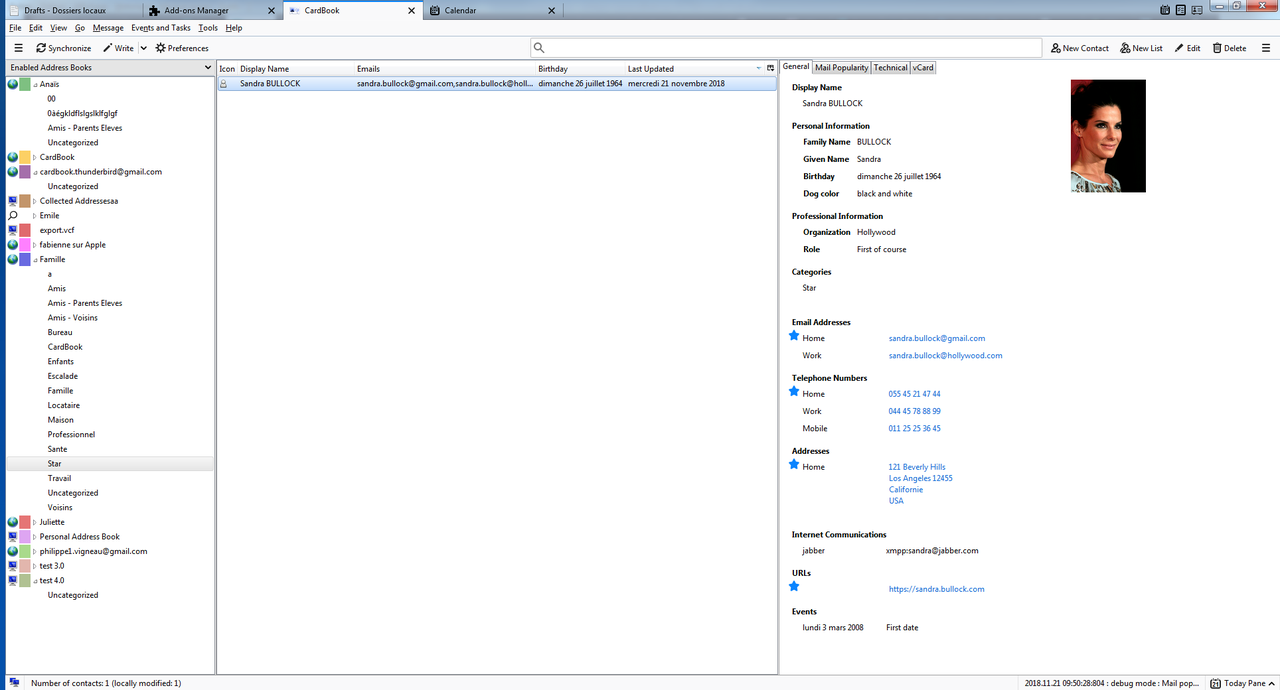
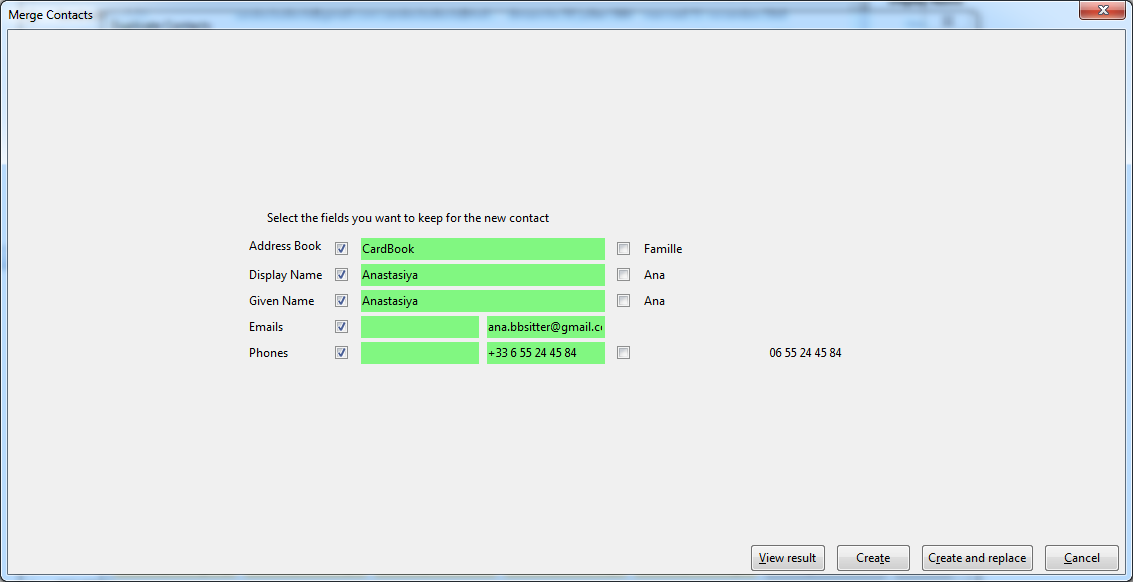
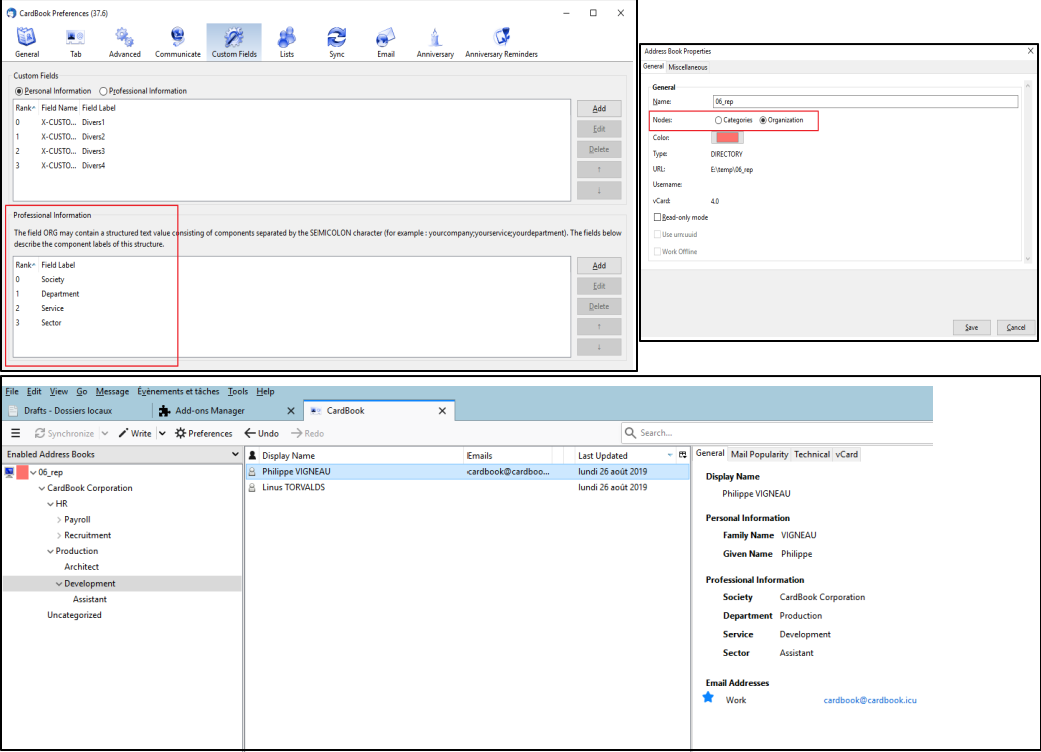
  • დამატების სურათი #1
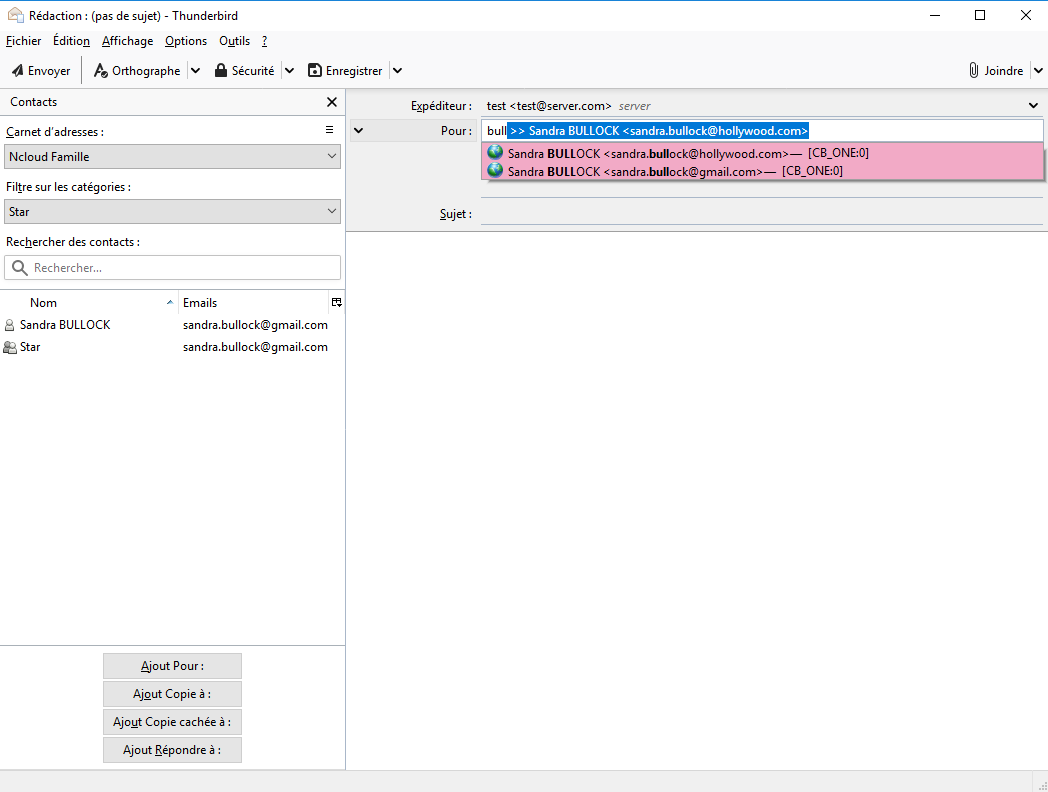
  • დამატების სურათი #2
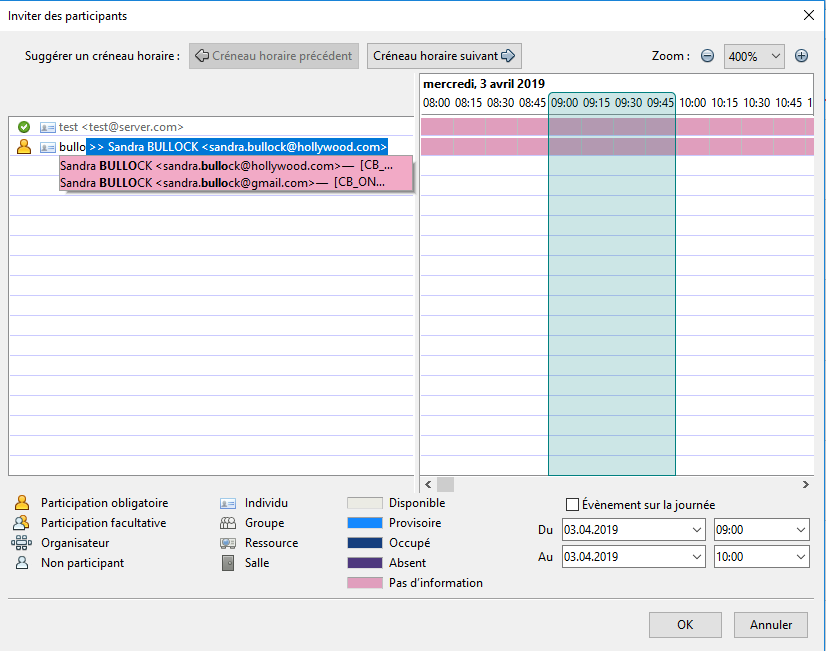
  • დამატების სურათი #3
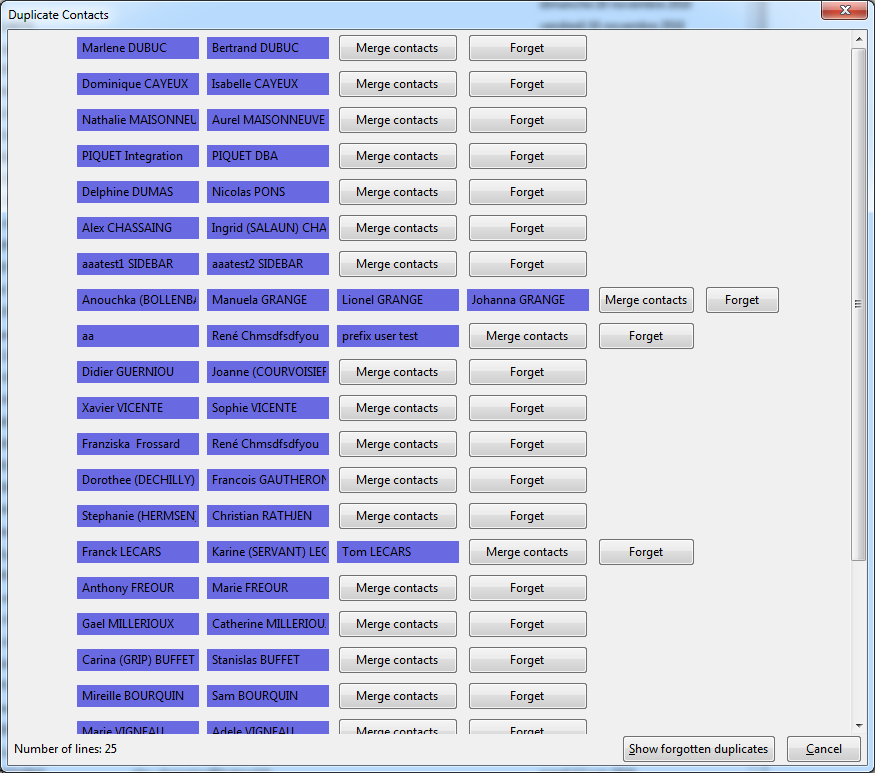
  • დამატების სურათი #4
  • დამატების სურათი #5
  • დამატების სურათი #6
  • დამატების სურათი #7
  • დამატების სურათი #8
  • დამატების სურათი #9
  • დამატების სურათი #10
  • დამატების სურათი #11
  • დამატების სურათი #12
Close
» «
  • მთავარი გვერდი
  • მხარდაჭერის გვერდი
  • მხარდაჭერის ელფოსტაmoc.liamg@dribrednuht.koobdrnullac
  • ვერსია 120.4 ინფორმაცია
  • ბოლო განახლების თარიღი: ნოემ. 15, 2026
  • ვრცელდება Mozilla Public License, version 2.0 ლიცენზიით

დამატების შესახებ

This add-on allows you to manage all your contacts under the vCard standard.

Version History: https://addons.thunderbird.net/en-US/thunderbird/addon/cardbook/versions
Twitter : @CardBookAddon
GitLab: CardBook

ვერსიის მონაცემები

ვერსია 120.4 გამოშვების თარიღი: ნოემ. 15, 2026 3.6 MiB თავსებადია Thunderbird 128.0 - 162.*

- vCard and zip exports, sharing by email, QR code and print: the types of the phones, emails, addresses, instant messaging and URLs can be chosen, unchecking a field unchecks its types
- print: the categories are tags in the color of the category, as in the contact pane
- address book check: the wrong dates (unreadable, more than 130 years ago, a birth or a death in the future, other dates more than 25 years ahead, a death before the birth)
- preferences: no horizontal scroll bar in the tables (note buttons, fields, types, instant messaging, custom fields...), even in a narrow window
- address book check: the incomplete addresses (no city, or no postal code in a country that has them), the postal codes not matching the country, the malformed URLs, the same email or phone twice in a contact with a button that deletes the lines twice
- security: the address books and the URL of the phone calls use only encrypted connections, http:// becomes https:// (except for the computer itself, as DavMail), the addresses already saved are changed with their passwords
- VENDOR.md: written in the format read by the automatic review of addons.thunderbird.net, the QR code library (qrcode-generator 2.0.4) declared with its licence
- contacts: a new tab "Messages" in the contact pane lists the last messages exchanged with the contact (received from it, sent to it, or sent by someone else with the contact in copy, from all its addresses), the most recent first, ten by ten, opened with a click, with a button to write to the contact; the search starts when the tab is shown and stops when another contact is chosen
- preferences: a new preference has its default value in the windows opened at the start of Thunderbird, before CardBook saved it (a tab of the contact pane could stay hidden after an update)
- contacts: a new tab "Calendar" in the contact pane lists the tasks to do, the events to come and the past ones where the contact is an attendee or the organizer, and its dates written by CardBook (birthdays...), ten by ten in each section, opened with a click, with buttons for a new event and a new task
- events of a contact: the dates of the contact written in the calendar by CardBook (birthdays...), found by their id or their title when the calendar (Google) loses the id, and the events organized by the contact are found too, a repeated event shows its next occurrence at its right hour (excluded dates skipped), a contact only in a changed occurrence is found, an address only holding the one of the contact is not taken
- search: much faster, in all the address books too: the contacts read are kept while typing (read again after any change), read in advance when the search field is entered, and each contact is compared at once instead of field by field
- contacts: the tab "Calendar" follows the calendars of Thunderbird (an event or a task added, changed or deleted there), and is read again each time it is shown
- events of a contact: the calendars with a cache (CalDAV, Google) are searched too, they were left out
- birthdays synchronization: a birthday of the day is not added again by each synchronization (its event at midnight in France is the day before in UTC), and the copies already written are deleted at the next synchronization; the tab "Calendar" shows the copies of an event once
- contacts menu: "Find the emails of the contact" and "Find the appointments of the contact" removed, the tabs "Messages" and "Calendar" show them
- contacts menu: the submenu of the categories shows the categories of all the contacts selected first (checked), then the ones of some of them with their count (a click gives it to all, it was disabled), then the others, each group sorted by name
- list edition: the titles and the lists of the available contacts and of the members side by side, aligned, the window can be narrow
- contacts lists: the icon column only takes the width of its icon by default
- Chinese, Japanese and Korean: the Enter that ends the writing of the characters no longer validates a window, adds an email to a list or chooses a category
- dark mode: the colors of the windows written once for the light and the dark mode (light-dark)
- import: several files can be chosen at once, and a zip (a backup or a zip export) can be imported or dropped on an address book to restore its contacts
- contact edition: a zoom stored with a wrong value no longer gives an empty window, the default zoom is taken back, and the zoom stays between 30% and 300%
- search messages window: the criteria of CardBook (in an address book...) are back with Thunderbird 160, whose window changed its name
- vCard export, fields to include: a group (Personal Information...) or a field with types can be unchecked, then only some of its fields or types checked again, the group is then shown partly checked
- search messages window: with Thunderbird 160, it no longer stays empty, without criteria, when the columns of CardBook (or of another extension) are shown in the message list
  • პირველწყარო კოდი ვრცელდება Mozilla Public License, version 2.0 ლიცენზიით

ჩამოტვირთვა ახლავე მაინც ჩამოტვირთვა

ვერსიის სრული ისტორია

საკუთარი კრებულების შესაქმნელად, საჭიროა Mozilla დამატებების ანგარიში.

ანგარიშის შექმნა

ან შედით უკვე არსებულით

დახურვა

პირადი მონაცემების დაცვის დებულება

# Privacy & Data Use Policy for **CardBook**

**Last updated:** 2026-11-04

## 1. Introduction

CardBook (“the Add-on”) is developed and maintained by Anaïs Vigneau (“we”, “us”, or “our”).
This Policy describes what information is collected when you use the Add-on, how it is used, and your rights regarding that information.

This policy applies to the CardBook add-on distributed via [addons.thunderbird.net](https://addons.thunderbird.net/) and any related websites or services we operate.

---

## 2. What data we collect

CardBook is designed to manage your address books locally in Thunderbird. Your address books are kept on your computer or on the servers you choose to connect to. They are never sent to us.
Some optional features send data to servers that are not under your control: they are listed in section 4, with the data they receive.

### We may collect or process the following data:

* **Locally stored address book data**: Stored entirely on your device or in the remote service you connect to (e.g., CardDAV server, Nextcloud, Google, Apple, Microsoft 365). We do not have access to this data.
* **Configuration and settings**: Stored locally in your Thunderbird profile.
* **Connection details for external address book services**: These may include server URLs, usernames, and authentication tokens — stored locally and, if necessary, sent only to the configured server to provide the requested functionality.
* **Address autocompletion (optional, paid)**: the street text you type, the country and the language of Thunderbird, sent with your licence key to our licence server (see section 4).
* **Optional diagnostic data**: If you enable debug logging and send us a log file, it may contain technical information such as server responses, Thunderbird version, and error messages.

We **do not** collect:

* Browsing history
* Personal email content
* Your address book data, unless you explicitly send us diagnostic logs for troubleshooting

---

## 3. Why we collect data

* To provide address book management features and synchronize with your chosen CardDAV or local data sources.
* To suggest addresses while you type them, and to check your licence, when you use the address autocompletion.
* To troubleshoot technical issues (only when you provide logs).
* To improve the Add-on (based on anonymized feedback or support requests).

---

## 4. Servers that are not under your control

The following features send data to third-party servers: sensitive data is then made available to these third parties. Each feature is only used when you choose it.

### Address autocompletion (optional, paid)

* **Server**: `https://licences.twotowork.com`, the licence server of the developer of CardBook.
* **When**: while you type an address in the edition window of a contact, once a licence key is entered, and when the licence is checked.
* **Data sent**: the street text being typed, the country of the address, the language of the Thunderbird interface and your licence key.
* **Forwarded to**: to find the suggestions, the licence server forwards the street text, the country and the language (not your licence key) to the Géoplateforme of the French Institut national de l'information géographique et forestière (`https://data.geopf.fr`) for the addresses in France, and to Photon by Komoot (`https://photon.komoot.io`) for the other countries.
* **Licence purchase**: the payment is made on Stripe (`https://buy.stripe.com`), where you give your email address and your payment details to Stripe. The licence is then sent to your email address through Brevo (`https://www.brevo.com`).

### Reading business cards with an artificial intelligence (optional)

* **Servers**: `https://api.openai.com/v1/chat/completions` (OpenAI) or `https://api.anthropic.com/v1/messages` (Anthropic), the provider you choose in the preferences.
* **When**: only when you import a business card with one of these providers chosen.
* **Data sent**: the image of the business card (with the contact details printed on it) and the API key you entered for this provider.
* These providers process the data according to their own privacy policies. Choose the reading on this computer to keep the images on your computer.

### Reading business cards on this computer (optional)

* **Server**: `https://cdn.jsdelivr.net`.
* **Data sent**: none of your data. The language models of the text recognition are downloaded from this server the first time they are needed; the images are read on your computer.

### Links you open

* Opening an address on a map sends this address to the map service you chose (Google Maps, OpenStreetMap or Bing Maps). Opening a social network profile or the purchase page opens the corresponding website in your browser.

---

## 5. How we share data

We do **not** sell your personal data.
Data may only be shared:

* With the third-party servers of section 4, when you use the corresponding features.
* If you explicitly send us diagnostic logs containing relevant details for support.
* When required by law (e.g., to comply with a valid legal process).

---

## 6. Data storage and retention

* All operational data (contacts, configuration, authentication) is stored locally on your computer or on the remote server you configure.
* We do not store your address books on our servers.
* The licence server keeps, for each licence: the email address of the buyer, the licence and its sale, the number of address searches per day, and a hash of the IP addresses that used it, to check the licences and detect their abuse. The searched texts are not kept.
* Any diagnostic logs you send for support are retained only for the time needed to resolve the issue, then permanently deleted.

---

## 7. Security

* Communication with remote servers uses HTTPS/TLS encryption.
* Passwords and authentication tokens are stored in the Thunderbird password manager, protected by its primary password when you set one.
* We encourage you to connect only to trusted servers.

---

## 8. Your choices and controls

* You can remove the add-on at any time via the Thunderbird Add-ons Manager.
* The address autocompletion and the reading of business cards are optional: without a licence key no address is sent, and without a chosen provider no image is sent.
* You are in full control of your address book storage and remote connections.

---

## 9. Children

The Add-on is not intended for use by children under 13 years old, and we do not knowingly collect personal information from children.

---

## 10. Changes to this Policy

We may update this Policy to reflect changes in features, security practices, or legal requirements.
We will update the “Last updated” date above when changes are made.

---

## 11. Contact

If you have questions, concerns, or requests regarding this Policy, contact:
cardbook.thunderbird@gmail.com
დახურვა

ნებართვები

დამატებების ნაწილი ითხოვს ნებართვებს, გარკვეული მოქმედებებისთვის (მაგალითად: ჩანართების მმართველი დამატება, მოითხოვს ბრაუზერის ჩანართების სისტემასთან წვდომას და ა.შ.).

Thunderbird-ის მართვის სადავეები თქვენს ხელშია და არჩევანიც თქვენზეა, დათანხმდებით თუ უარყოფთ, მოთხოვნილი უფლებების მინიჭებას. ნებართვებზე თანხმობა, არსებითად არ იმოქმედებს თქვენი ბრაუზერის წარმადობაზე ან უსაფრთხოებაზე უარყოფითი კუთხით, მაგრამ იშვიათ შემთხვევებში, შეიძლება არსებობდეს ამის საფრთხეც.

ამ დამატებას შეეძლება:

  • Have full, unrestricted access to Thunderbird, and your computer

დახურვა

მოხსენება დარღვევის შესახებ

  1. თუ მიგაჩნიათ, რომ ეს დამატება არღვევს ჩვენს დებულებას ან ხარვეზები აქვს უსაფრთხოებასა და პირადი მონაცემების დაცვაში, ისარგებლეთ ქვემოთ მოცემული ველით და გაგვიზიარეთ თქვენი მოსაზრება. გთხოვთ, სხვა მიზნით არ გამოიყენოთ ეს ველი. The process for reporting copyright or trademark infringement is described at this page.

ქვედა ლოგო
  • გაეცანით დამატებებს
  • საიტის შესახებ
  • სვეტი
  • შემმუშავებლები
  • ფორუმი

პირადი მონაცემების დაცვის დებულება  |  Report Trademark or Copyright Infringement  |  სამართლებრივი შენიშვნები  |  Report Misuse of Thunderbird Trademark  | მოხსენება ხარვეზის შესახებ

გარდა მოცემული შენიშვნებისა, ამ საიტზე არსებული შიგთავსი ვრცელდება
Creative Commons Attribution Share-Alike v3.0 ლიცენზიით ან უფრო ახალი ვერსიით.