 დამატებები
მოგესალმებით, Thunderbird დამატებების გვერდზე.
დაამატეთ ახალი შესაძლებლობები და გაფორმებები, რომ გახადოთ Thunderbird მეტად თქვენებური.
დახურვაშეტყობინების გაგზავნა
-
SmartTemplates
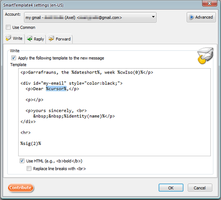
SmartTemplates offers an easy and powerful way to automatically create customized replies by auto-inserting various mail headers. Templates can be created for every mail identity, Stationery files can now be imported and used directly.
3 799 მომხმარებელი -
*cloud - FileLink for Nextcloud OpenCloud ownCloud
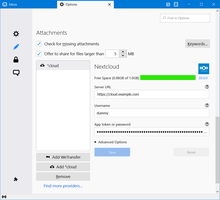
Upload large attachments to your Cloud and send the link by email
39 600 მომხმარებელი
ყველაზე სასურველი ყველას ნახვა »
-
 True "Send Later" functionality to schedule the time for sending an email.124 950 მომხმარებელი
 -
 Create and Save or Send Multiple Individual and Personalized Messages from a Draft81 819 მომხმარებელი
 -
 Check your emails for spelling and grammar issues79 045 მომხმარებელი
 -
 Switch the signature on/off or choose a new one from your predefined set.56 111 მომხმარებელი
 -
 Highlights selected text when composing emails. Default colour is yellow - other colours are available via Options.
(Works only during writing an e-mail, i.e. only in the compose window.)55 079 მომხმარებელი -
 Securely encrypt and upload large attachments to any Send service instance (formerly Firefox Send).53 447 მომხმარებელი
საუკეთესოდ შეფასებული ყველას ნახვა »
-
 Thunderbird は Outlook のようにアドレス全選択からの「一括コピー」ができません。
それを実現するためのアドオンです。410 მომხმარებელი -
Macro Template is to replace mail templates with macros for date formatting.615 მომხმარებელი
-
Default "Reply" functionality pays attention to "Reply-To" in original email54 მომხმარებელი
-
 Allows you to use your Exchange and Office365 email account with Thunderbird using Outlook Web Access (OWA).40 143 მომხმარებელი
 -
Create and Save or Send Multiple Individual and Personalized Messages from a Draft81 819 მომხმარებელი
-
 Warns if you send mail from or to a specified domain. If there are multiple accounts in your profile, you can isolate one so that you can't send mail to that domain from outside or vis versa without warning.89 მომხმარებელი
ახალი დამატებული ყველას ნახვა »
-
 Set the exact font size in px or pt and the line spacing while writing an email — for the selected text or for the whole message.5 მომხმარებელი
 -
 Not All Dark dà a Thunderbird un look grigio scuro, neutro e senza colori accesi. Ma non tutto è scuro: le email restano su sfondo bianco, sia quando le leggi sia quando le scrivi. Nessuna impostazione, nessun dato raccolto.2 მომხმარებელი
 -
 Correcteur orthographique et grammatical gratuit pour le français et l’anglais, 100 % local, propulsé par Grammalecte et Harper.3 მომხმარებელი
 -
 Smart semantic voice dictation inspired by Google Rambler: removes filler words, auto-corrects on the fly, and formats clean emails right under your cursor in Thunderbird.3 მომხმარებელი
 -
Preserves Microsoft Excel table formatting when copying and pasting tables into Thunderbird email messages.9 მომხმარებელი
-
 Canned replies for Thunderbird: type a key like po1 and press Tab, or search your snippets. Fields like {{PONUMBER}}, recipient names, dates, attachments and Quicktext import.4 მომხმარებელი
იხილეთ 392 გაფართოება, კატეგორიაში „შეტყობინების გაგზავნა“ »
საკუთარი კრებულების შესაქმნელად, საჭიროა Mozilla დამატებების ანგარიში.
